Zero-Trust Scanner Security: Document Scanning Made Safe
By Taye Okonkwo • 2nd Jan
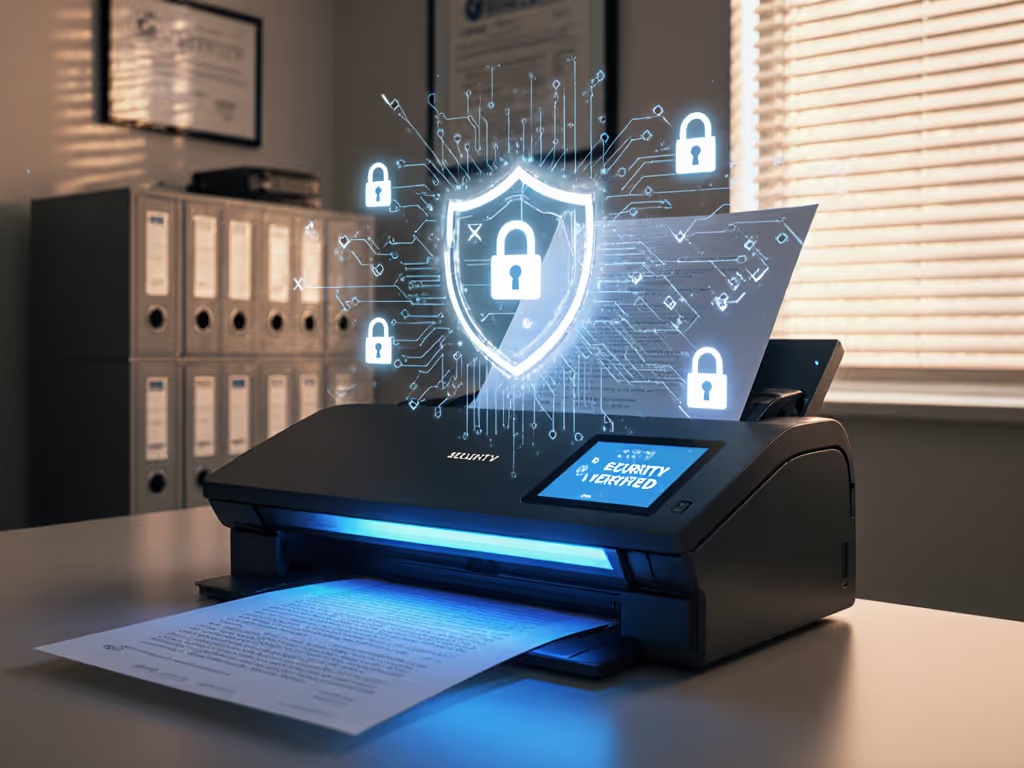
When you press that scan button, your documents are traveling through multiple vulnerable points, yet most small offices treat scanners as simple paper-to-PDF machines. Zero-trust document scanning changes that mindset by treating every scan as a potential security event until proven safe. This scanner security architecture isn't just for enterprises; it's your frontline defense against data leaks when volunteers, temps, or even your own busy self handles sensitive paperwork. Let's make security work for you (not against your daily workflow).
What does "zero-trust" really mean for my scanner?
Zero-trust means never assuming safety just because something happens inside your office. Traditional security puts scanners on the same network as your accounting files, trusting any device connected to your Wi-Fi. But if a scanner gets compromised (and many run outdated firmware), attackers can eavesdrop on every document flowing through it. For a deeper look at real-world vulnerabilities and mitigation steps, see our scanner security risk analysis for hybrid work.
True security starts with treating your scanner as a potential threat until verified (just like you'd treat a stranger asking for client records). This means:
- Verifying every connection (scanner to computer, scanner to cloud)
- Limiting what scanners can access on your network
- Ensuring scanned files arrive exactly as intended, without hidden metadata
- Monitoring for unusual activity (like scans at 3 AM)
At a nonprofit intake site we supported, volunteers once spent Mondays apologizing for missing documents. After mapping their steps, we added simple verification points to their process (like automatic folder checks and encrypted handoffs to Google Drive). Their backlog vanished in one afternoon. Zero-trust isn't about suspicion; it's about confidence.
Why are scanners a bigger risk than I thought?
Scanners sit at a dangerous crossroads: they handle physical documents (often with sensitive info), connect to your network, and frequently push data directly to cloud storage. Three hidden risks plague traditional setups:
- Silent eavesdropping: Compromised scanners can capture every document before it reaches your intended destination
- Permission pitfalls: Scans routed to cloud folders often inherit broader access than needed (e.g., everyone in "Accounting" can see tax documents)
- Firmware flaws: Many scanners run outdated software with known vulnerabilities
The good news? Zero-trust implementation for scanners focuses on practical controls you can set up without slowing down non-technical staff. One button, predictable result. That's the standard.
How do I secure scanners without complicating workflows?
You don't need a cybersecurity degree. Focus on these three frictionless steps that align with your existing habits:
1. Isolate scanner traffic
- Create a separate Wi-Fi network just for scanners and printers (many routers call this "Guest Network")
- This achieves scanner network isolation (containing damage if a device is compromised)
- No tech skills needed: just give your scanner a different Wi-Fi password than staff computers
2. Verify the destination
- Configure scanners to require credentials every time they send to cloud folders (Google Drive, OneDrive etc.)
- Use folder-specific logins instead of your main account, so if compromised, damage is limited
- Enable "scan success" notifications so you know files arrived safely For end-to-end routing into business systems, see our scanner cloud integration guide.
3. Harden the endpoint
- Document scanner hardening starts with firmware updates: set monthly reminders to check for updates (most scanners notify via email now)
- Disable unused features like FTP or cloud services you don't use
- Require PIN codes for sensitive scans (many scanners have this hidden in settings)
Remember: If it's fiddly, it won't survive Monday morning. Your security measures must work for your least tech-savvy team member.
Can my receptionist really handle this?
Absolutely, and they should be your first test user. True security succeeds when the least technical person succeeds first. Here's how we make it work for real teams:
-
Barcode coversheets: Put a simple barcode at the front of each batch. You can also build this routing with secure Zapier automation to apply tags, notify channels, and enforce approvals. Scanners read it to auto-route to correct folders with client names pre-filled. We used this at a busy legal office (no more "misc" folder chaos).
-
One-button profiles: Save separate scan jobs as "Invoices," "Client Intake," "Receipts" with one-touch routing. Train staff with sticky notes on the scanner: "Blue button = client files to Drive. Green = receipts to Expenses."
-
Auto-cleaning rules: Set scanners to strip hidden metadata and enforce PDF/A compliance automatically. No extra steps for staff.
This is scanner endpoint security that blends into existing routines. When we implemented this at a dental practice, hygienists stopped asking "Where did that scan go?" because the system never lied to them.
What's the simplest first step I can take today?
Right now (before your next scan):
- Check your scanner's network settings
- Find where it says "Network" or "Wi-Fi" in settings
- Move it to your guest network if possible (call your router "Scanners Only")
- Enable encryption for cloud scans
- In your scanner's cloud settings (Google Drive/OneDrive), look for "SSL" or "TLS" and turn it on
- This encrypts files during transfer (critical for HIPAA or GDPR compliance)
- Set up notification confirmations
- Most business scanners can email you when scans complete successfully
- This verifies both delivery and that no one intercepted the file

These steps take 10 minutes but establish the foundation of your zero-trust implementation for scanners. They're the difference between hoping your documents are safe and knowing they are.
Why isn't this just corporate overkill?
Small teams skip scanner security thinking "We're not interesting enough to hack." But attackers don't care about your size (they care about easy targets). A compromised scanner can:
- Steal W-2s during tax season
- Capture unsigned contracts before you see them
- Become a doorway into your accounting system
The magic of zero-trust is that proper document scanner hardening often simplifies workflows. When scanners auto-verify destinations and clean documents, staff stop double-checking folders and redoing failed scans. That receptionist who used to dread scanning becomes your most reliable document processor.
Your Action: Secure One Scanner This Week
Pick your busiest scanner, the one feeding client files or financial docs. By Friday:
- Move it to its own network (guest Wi-Fi works)
- Set up encrypted cloud routing with folder-specific logins
- Add scan success notifications
Then watch what happens: fewer "where's my scan?" questions, no more reshoots for security audits, and that quiet confidence that your documents traveled safely. One button, predictable result: that's the promise of zero-trust scanning done right.
When security feels like part of the workflow rather than a hurdle, your whole team wins. EU teams should also review our GDPR-compliant scanner guide for regional data protection best practices. Start small, prove it works, and build from there. After all, the best security is the kind you don't have to think about, just press scan and trust the result.
Related Articles